
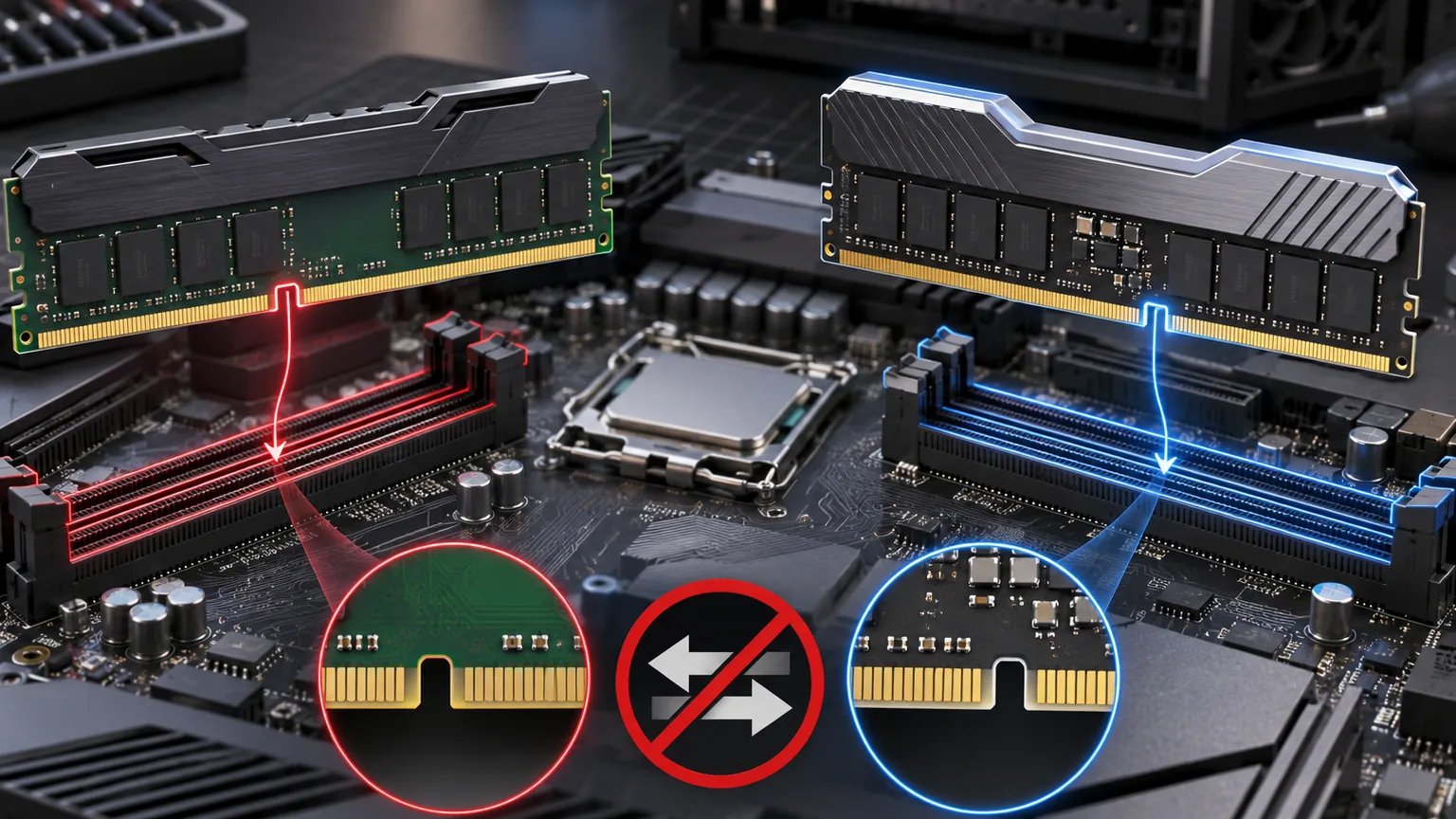
You cannot put DDR5 RAM in a DDR4 motherboard. The modules use different electrical standards, signaling, voltages, and key-notch positions. A DDR5 stick is not designed to fit a DDR4 slot, and forcing it can damage the memory or motherboard.
This is a compatibility limit, not a BIOS setting. If your current system uses DDR4, moving to DDR5 normally requires a compatible motherboard and processor as well as the new memory kit.
Why DDR4 and DDR5 do not fit the same slot
Desktop DDR4 and DDR5 modules both have 288 contacts, which makes them look deceptively similar. Their notches are positioned differently, however, and the pin assignments are not the same. The slot is physically keyed to accept only the correct generation.
DDR5 also moves part of the power management onto the memory module and changes the way data channels are organized. Those differences mean an adapter cannot safely turn a DDR4 slot into a DDR5 slot.
Kingston’s DDR4 and DDR5 compatibility guide confirms that the two generations are not interchangeable and that a DDR5 upgrade needs both motherboard and processor support.
Can one CPU support either DDR4 or DDR5?
Some Intel processor generations support both memory standards, but not on the same motherboard. For example, compatible LGA 1700 processors were sold with separate DDR4 and DDR5 motherboard models. The board’s exact model determines which memory you can install.
AMD’s AM4 platform uses DDR4, while AM5 uses DDR5. A new AM5 processor cannot be dropped into an AM4 board, so that upgrade changes the CPU, motherboard, and RAM together.
Always check the motherboard specification page and CPU memory-support page before buying. A product name containing the same chipset family does not guarantee the same RAM type. Manufacturers often add “D4” to a DDR4 model, but naming is not universal.
What about laptops and SO-DIMM memory?
Laptops use shorter SO-DIMM modules instead of desktop DIMMs, but the same generation rule applies. DDR5 SO-DIMM memory cannot replace DDR4 SO-DIMM memory. Some thin laptops have soldered RAM and no upgradeable slot at all.
Look up the laptop’s full model number, not only the family name. Two laptops sold under the same series can use different processors, memory generations, or soldered configurations. A memory scanner or the manufacturer’s service manual can identify the supported type and maximum capacity.
Can you mix DDR4 and DDR5?
No consumer motherboard lets you run DDR4 and DDR5 at the same time. Even on processor platforms that support both standards, every retail board chooses one slot type.
Mixing modules within the same generation is sometimes possible, but it is not ideal. Different capacities, speeds, ranks, and timings can force the system to use the slowest common settings or become unstable. A matched kit is the safer choice, especially when enabling an XMP or EXPO memory profile.
If you are deciding how much capacity to buy, our 16GB versus 32GB gaming RAM guide explains when additional memory helps more than a faster specification.
What must you replace to upgrade to DDR5?
- Motherboard: it must have DDR5 slots and support the chosen CPU.
- Processor: its memory controller must support DDR5.
- RAM kit: buy desktop DIMM or laptop SO-DIMM modules as required.
- CPU cooler hardware: a socket change may require a different mounting bracket.
Your graphics card, SSDs, case, and power supply may remain compatible if the new motherboard supports their connections and physical sizes. Check those details before treating a memory upgrade as a simple three-part purchase.
How to identify your current RAM type
In Windows, Task Manager can show memory speed and slot usage, but it does not always state the DDR generation. The reliable methods are checking the motherboard or laptop specification, reading the module label, or using a hardware-information utility that identifies the memory standard.
Do not use the notch position as a reason to push harder. Disconnect power, release the slot latches, align the correct module, and stop if it does not seat evenly. DDR5 is an excellent platform upgrade, but it is never a drop-in replacement for DDR4.